Instant Access
Enter your email and password to reach your full account within seconds, including any active bonus funds and your game history.
Login at Jamslots: Access via PWA
Sign in to your account to access 1,000+ pokies, live dealer tables from Evolution Gaming, and your current bonus balance.
Keep Your Account Secure
What You Should Do
What You Should Avoid
Your Account, Your Way
Instant Access
Enter your email and password to reach your full account within seconds, including any active bonus funds and your game history.
Two-Factor Authentication
Enable 2FA in your account security settings for an additional layer of protection against unauthorised access.
Sign In from Any Device
The Jamslots login screen is fully optimised for desktop browsers, mobile browsers and the PWA shortcut on Android and iOS.
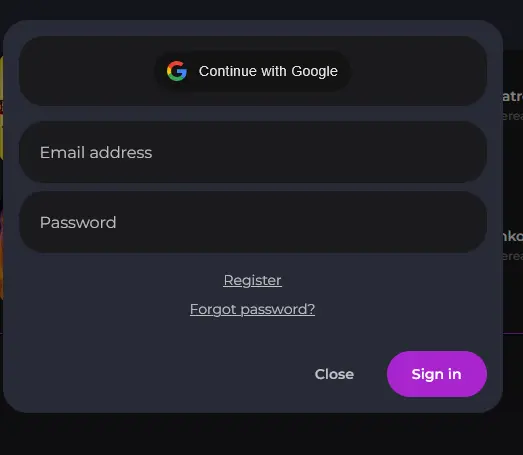
Jamslots uses email-and-password authentication as the standard sign-in method across all devices. You enter the email address you registered with and your chosen password to reach your account. For players who enabled two-factor authentication, a one-time code is required as a second step after the password is accepted. There is no third-party single sign-on (such as Google or Apple login) at this stage.
Signing in to your Jamslots account follows the same process across all platforms. The difference between devices is where you access the login screen, not how the steps work.
Open your preferred browser and navigate to jamslots.app. The login button sits in the top-right corner of the homepage. Click it, enter your registered email address and password, then click the sign-in confirmation. If two-factor authentication is active on your account, enter the six-digit code from your authenticator app before the session begins.
On any Android or iOS device, open your mobile browser and load jamslots.app. The login button appears in the top navigation. Tap it, enter your credentials and confirm. The mobile browser version renders the full login flow including the 2FA prompt. If you have saved the site as a home-screen shortcut, tapping the icon opens directly to the Jamslots interface.
Jamslots is available as a Progressive Web App (PWA). Once you have added it to your home screen, open it and tap the sign-in icon. Your browser may offer to autofill saved credentials; confirm them and enter any 2FA code if prompted. The PWA retains your session between visits unless you explicitly log out, making repeated access faster.
Most login failures at Jamslots fall into a small number of identifiable causes, each with a straightforward fix.
If your password is rejected, use the ‘Forgot password’ link on the login screen rather than guessing. A reset link will arrive at the email address on your account within a few minutes; check your spam folder if it does not appear in your inbox. Once you have reset your password, avoid copying and pasting it from a document that adds invisible characters.
If your account appears locked, this is typically triggered by multiple failed login attempts in a short period. Contact [email protected] to request an account unlock; the team operates 24/7 and can restore access quickly once your identity is confirmed.
If you are logging in from a new device or IP address, Jamslots may ask you to verify the login via a link sent to your registered email. This is a standard security step and does not indicate a problem with your account. Approve the verification and the session will begin normally.
If the login button does not respond at all, clear your browser cache and disable any active VPN or privacy extension, then reload the page and try again.
Protecting your Jamslots account starts at the password and extends to the device and network you use.
Choose a password that is at least twelve characters long and combines uppercase letters, lowercase letters, numbers and at least one symbol. Do not reuse it on any other account. Enable two-factor authentication in your account security settings; this generates a time-limited one-time code each time you sign in and makes it significantly harder for anyone else to access your account even if they obtain your password.
When using a shared device, always log out at the end of your session and do not allow the browser to save your credentials. On your personal device, keep the operating system and browser updated, as these updates close security vulnerabilities that could be exploited to intercept login details.
If you receive an email that appears to be from Jamslots but asks you to enter your password via a link you did not request, do not click it. Contact [email protected] to report the message.
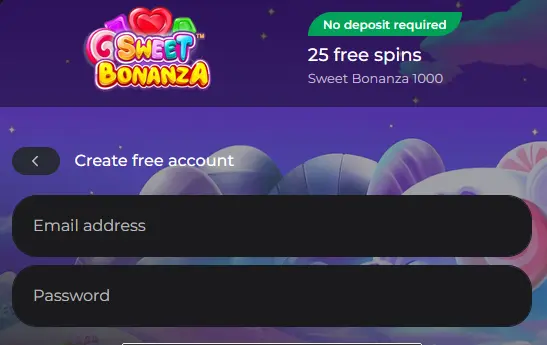
Creating a Jamslots account takes only a few minutes. You will need to provide your name, email address and phone number during registration. Once your email is verified, you can log in immediately and claim the welcome bonus, which includes a 100% match on your first three deposits up to $200 each and 50 free spins with no wagering requirement on the spins. Registration is available directly on the Jamslots website without the need for any separate application or download.
Frequently Asked Questions About Logging In
Click the 'Forgot password' link on the login screen, enter the email address registered to your account, and follow the reset link sent to your inbox.
Yes, the Jamslots site is fully functional in the Safari mobile browser on iOS; you can also add it to your home screen as a PWA shortcut for quicker access.
Clear your browser cache and cookies, ensure your email and password are entered without extra spaces, then try again; if the issue continues, contact support at [email protected].
Sign In to Jamslots Now
Grab 100% up to $200 and 50 free spins.
Play Now Play responsibly: gambling can become addictive. You must be 18 or older to play. Bonus offers are subject to their own terms.